Going paperless isn’t about eliminating every sheet overnight. It’s about making your documents easier to find, share, and protect, one manageable step at a time.
Every office has them. The file cabinets that won’t close all the way. The storage room that’s really just a paper graveyard. That one drawer everyone avoids because nobody knows what’s in it anymore.
For years, paper was simply how business got done. Contracts, invoices, personnel files, patient forms, and signed approvals all lived on physical pages, and finding the one you needed meant walking to a cabinet and hoping it was filed where it should be.
“Going paperless” gets talked about like it’s an all-or-nothing switch you flip one Monday morning. It isn’t. The businesses that do it well don’t try to eliminate every sheet of paper in a weekend. They make steady, practical changes that add up, and they end up with documents that are easier to find, easier to share, and better protected than a filing cabinet ever managed.
Here’s how to get there without the headache.
Start With One Workflow, Not the Whole Office
The single biggest reason paperless projects stall is that people try to do everything at once. They look at every cabinet in the building, feel overwhelmed, and give up.
Don’t do that. Pick one workflow and start there.
Choose something that’s paper-heavy and a little painful, like accounts payable, new-hire paperwork, or client intake. Get that one process running smoothly in digital form, learn what works, and then move to the next. Each workflow you convert makes the next one easier, because your team is building habits and confidence along the way.
Momentum matters more than speed here. A business that fully digitizes one process a quarter will be in a far better place a year from now than one that tried to do it all in January and quit by February.
The Difference Between Scanning and Actually Going Digital
Here’s a distinction that trips people up. Scanning a document and going paperless are not the same thing.
If you scan a stack of pages into a folder of image files, you’ve technically created digital copies. But if you can’t search them, can’t tell one from another without opening each one, and can’t pull up the right file when a customer is on the phone, you haven’t actually solved the problem. You’ve just moved the mess from a cabinet to a hard drive.
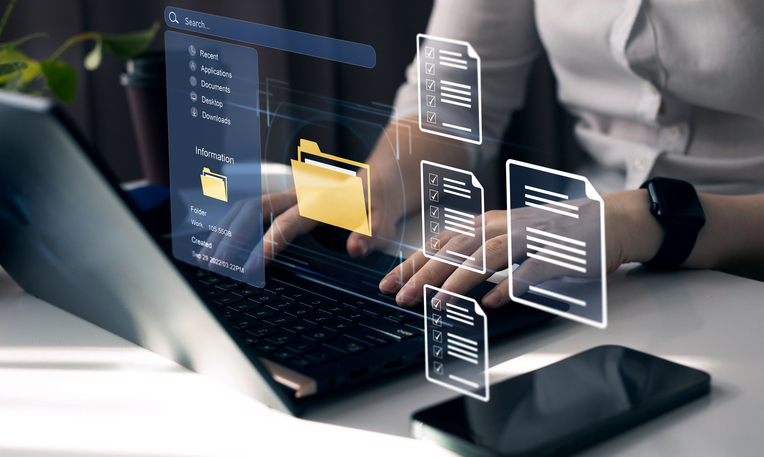
The piece that makes digital documents genuinely useful is OCR, or Optical Character Recognition. OCR reads the text in a scanned page and turns it into content you can search and edit, so instead of a flat picture of an invoice, you get a file where you can find any word, invoice number, or client name in seconds. That’s the difference between a pile of scans and a filing system that works for you.
A good document management setup builds this in from the start, so documents are captured, made searchable, and organized as they come in, not left in a digital heap to sort out later.
Give Your Documents a Home That Makes Sense
Once documents are digital and searchable, they need somewhere logical to live. This is where a little planning up front saves a lot of frustration down the road.
The goal is a consistent structure that anyone on your team can navigate without a treasure map. That means agreed-upon naming conventions, a folder structure that mirrors how your business actually works, and clear rules about where things go. It’s not glamorous, but it’s the difference between a system people trust and one they quietly work around.
This is also the moment to think about permissions. Not every document should be visible to everyone, and a well-organized digital system lets you control who can see and edit what, which is far harder to manage with a shared physical cabinet.
Don’t Forget Security and Retention
Moving off paper is a chance to handle sensitive information better, not just more conveniently.
Physical files are surprisingly hard to secure. Anyone with access to the room has access to the drawer, and there’s rarely a record of who looked at what. Digital documents, managed well, can be protected with access controls, tracked, and backed up so a single accident doesn’t wipe out years of records.
It’s also worth building in retention rules from the beginning. Different documents need to be kept for different lengths of time, and some need to be securely disposed of when that window closes. Deciding those rules up front, rather than letting digital clutter pile up the way paper did, keeps your system lean and your business on the right side of its recordkeeping obligations.
One note here: going digital reduces certain risks, but only if the system is set up and maintained thoughtfully. A pile of unsecured files on a shared drive isn’t safer than a cabinet. The security comes from doing it right, which is exactly the kind of thing worth planning with a partner who does this every day.
Where BDT Fits In
Here’s the good news. You don’t have to figure all of this out on your own, and you almost certainly already own a key piece of the puzzle.
The copier down the hall is very likely a capable scanning and document-capture device, which means the on-ramp to going paperless may already be sitting in your office. From there, the right combination of scanning, OCR, document management software, and a sensible plan turns that hardware into a genuine paperless workflow.
Because we’re an independent dealer, our job isn’t to sell you the biggest system on the shelf. It’s to look at how your office actually works and help you take the practical next step, whether that’s making better use of the equipment you have or building out a fuller document management solution as you grow. And because our team is local, the support is real people, close by, when you need them.
If you’d like a hand mapping out where to start, our local team is happy to help you take a look.